See GetWholesaleOrders
in action
Real screenshots of the app — campaigns, lead discovery, automated outreach, and a unified inbox with AI sentiment analysis. Click any section to zoom in.
Get StartedCampaign Dashboard
See every active campaign, your lead pipeline, and today's outreach volume — all in one screen.
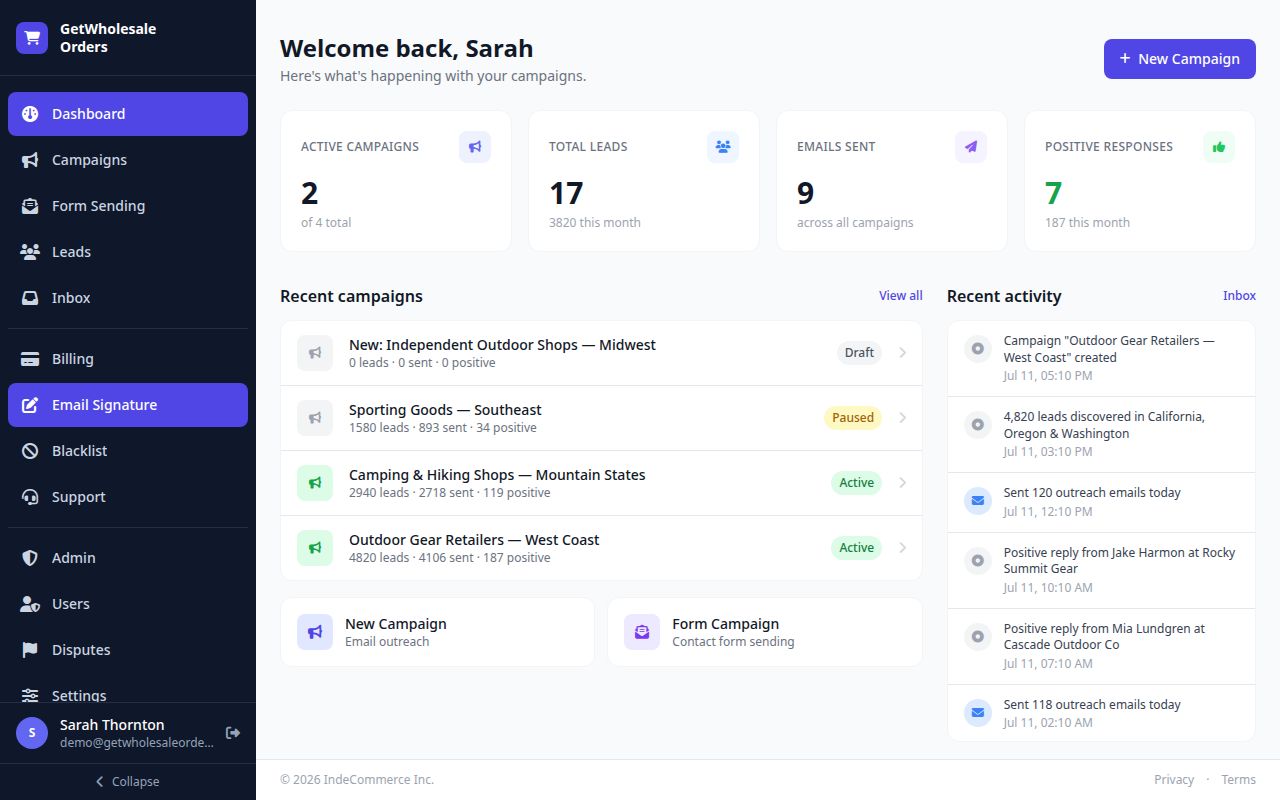
The moment you log in you see what matters: how many campaigns are running, total leads discovered, emails sent, and positive responses received this month. The Recent Activity feed shows real-time events — new replies, emails sent, leads discovered — so you always know what the system is doing on your behalf.
- Active campaigns count with lead and send totals per campaign
- Month-to-date emails sent and positive response count
- Quick-launch shortcuts: New Campaign and Form Campaign
- Real-time activity feed: replies, sends, discoveries
- One-click access to Inbox from the dashboard activity strip
Campaign Management
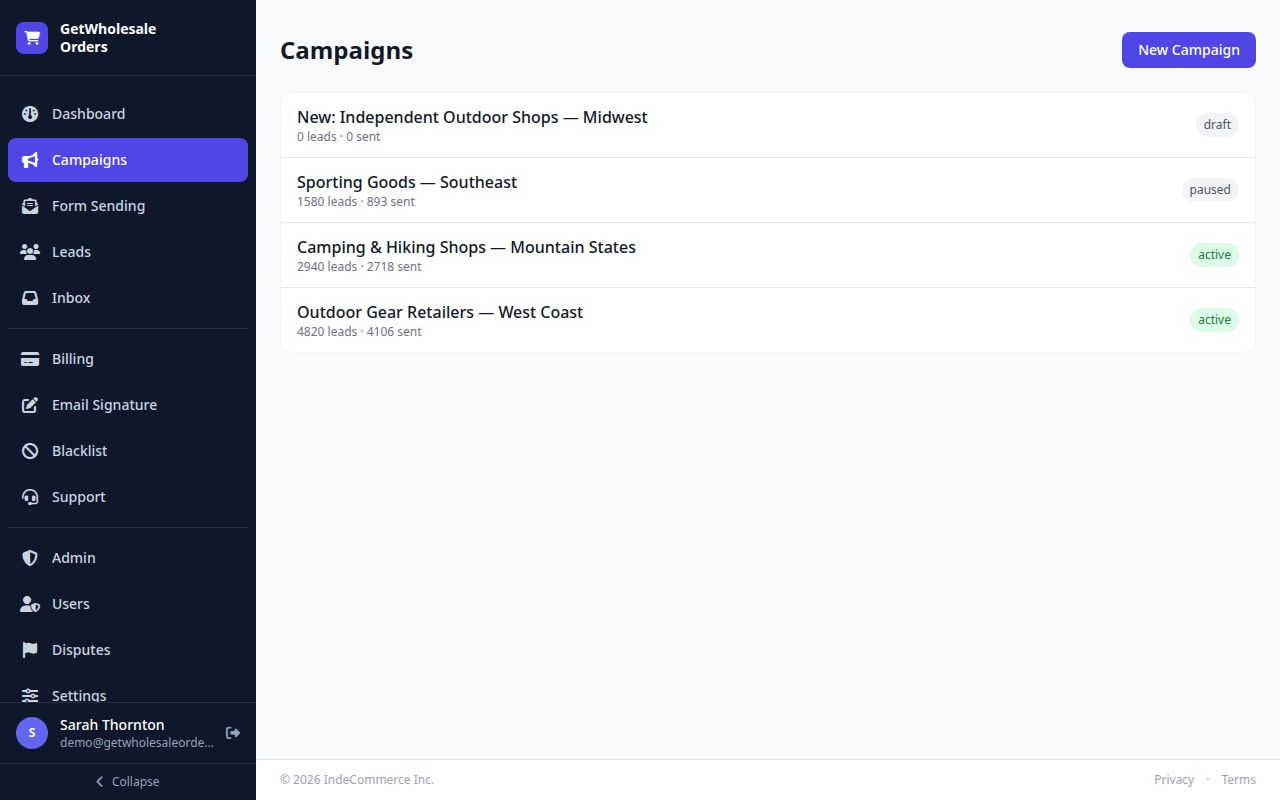
Run multiple outreach campaigns simultaneously — each targeting a different region, category, or product line.
Each campaign targets a specific combination of business category and geography. The platform discovers thousands of matching leads from Google Maps, enriches their contact data, and automatically sends personalised outreach emails on a ramp-up schedule. You can pause, resume, or clone campaigns at any time.
- Multiple simultaneous campaigns — each with its own targeting
- Status badges: Active, Paused, Draft — with lead and send counts
- AI-suggested targeting categories and regions
- Automatic ramp-up schedule to protect sender reputation
- Clone a winning campaign to a new region in seconds
Lead Discovery
Thousands of verified retailer contacts discovered automatically — name, email, company, and status in one list.
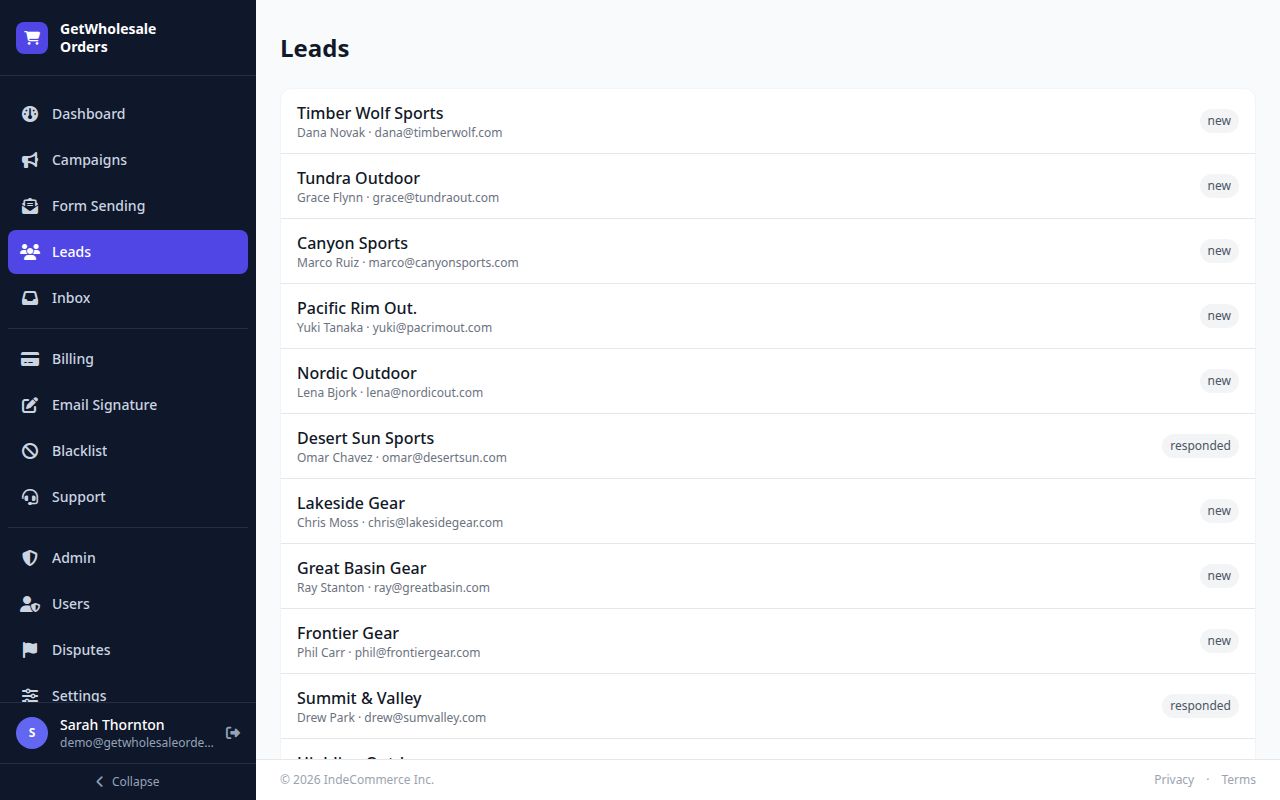
Every lead the platform finds is listed here with company name, contact name, email address, and current outreach status (New, Emailed, Responded). You can filter by campaign or status, search by company or contact, and see exactly where each prospect is in your outreach funnel.
- Full contact record: company, name, email, city, region
- Status tracking: New → Emailed → Responded
- Filter by campaign, status, or date range
- Source attribution: Google Maps category and region
- Bulk export to CSV for use in other tools
Unified Inbox & AI Sentiment
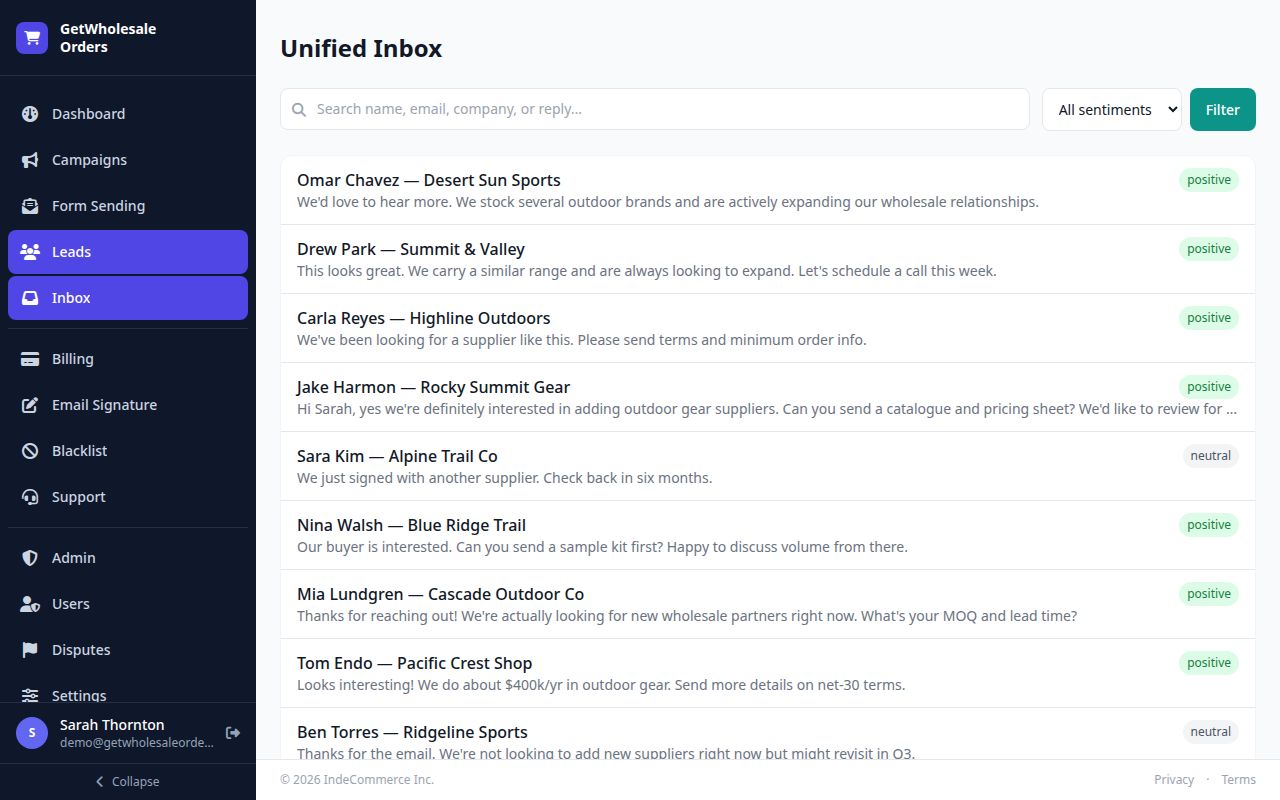
Every reply in one place — with AI automatically labelling each response as positive, neutral, or negative.
Replies from every campaign land in your Unified Inbox, sorted by most recent. AI reads each reply and instantly classifies it: positive (the lead is interested), neutral (not right now), or negative (not a fit). You only get notified about and billed for genuinely interested buyers — no manual triage required.
- All campaign replies in one chronological inbox
- AI sentiment label on every reply: positive / neutral / negative
- Filter by sentiment to focus on interested leads first
- Full reply text preview without opening each thread
- You are only billed for AI-confirmed positive responses
Ready to see it with your own products?
Set up your wholesale store in minutes. No credit card required.